Ebook Hacker
E-book Download
Download Hacker E-book
Hacker E-book
Download E-book Gratis
Kumpulan E-book Gratis
Liability Disclaimer
The information provided in this eBook is to be used for educational purposes only. The eBook creator is in no way responsible for any misuse of the information provided. All of the information in this eBook is meant to help the reader develop a hacker defense attitude in order to prevent the attacks discussed. In no way should you use the information to cause any kind of damage directly or indirectly. The word “Hack” or “Hacking” in this eBook should be regarded as “Ethical Hack” or “Ethical hacking” respectively. You implement the information given at your own risk.
Book Review :
Ebook Info
++++++++
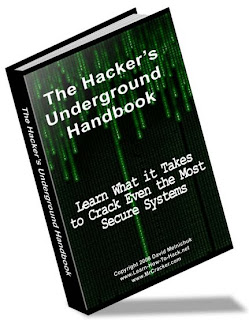
Ebook Title : The Hackers Underground Handbook, Learn What it Takes to Crack Even the Most Secure Systems
Pages : 116
Author : David Melnichuk
Download Link (see at the bottom Page)
Website Disclaimer
Table of Contents :
==============
A. Introduction
1. How can I use this eBook?
2. What is a hacker
3. Hacker Hierarchy
4. What does it take to become a hacker?
5. Disclaimer
B. Programming
1. Do I really need it?
2. Where should I start?
3. Best way to learn
C. Linux
1. What is it?
2. Choosing a distribution
3. Running Linux
4. Learning Linux
D. Passwords
1. Password Cracking
2. Phishing
3. Countermeasures
4. More Programs
E. Network Hacking
1. Foot printing
2. Port Scanning
3. Banner Grabbing
4. Searching for Vulnerabilities
5. Penetrating
6. Countermeasures
F. Wireless Hacking
1. Scanning for Wireless Networks
2. Cracking WEP
3. Packet Sniffing 4
4. Countermeasures
G. Windows Hacking
1. NetBIOS
2. Cracking Windows Passwords
3. Countermeasures
H. Malware
1. Definitions
2. ProRat
3. Countermeasures
I. Web Hacking
1. Cross Site Scripting
2. Remote File Inclusion
3. Local File Inclusion
J. Conclusion
1. Congratulations
2. Keep Learning
3. www.MrCracker.com
Download
other similar E-book (Bahasa Indonesia)
E-book Download
Download Hacker E-book
Hacker E-book
Download E-book Gratis
Kumpulan E-book Gratis
Liability Disclaimer
The information provided in this eBook is to be used for educational purposes only. The eBook creator is in no way responsible for any misuse of the information provided. All of the information in this eBook is meant to help the reader develop a hacker defense attitude in order to prevent the attacks discussed. In no way should you use the information to cause any kind of damage directly or indirectly. The word “Hack” or “Hacking” in this eBook should be regarded as “Ethical Hack” or “Ethical hacking” respectively. You implement the information given at your own risk.
Book Review :
What is a hacker?
A hacker is someone who likes to tinker with electronics or computer systems. Hackers like to explore and learn how computer systems work, finding ways to make them do what they do better, or do things they weren’t intended to do. There are two types of hackers:
White Hat – These are considered the good guys. White hat hackers don’t use their skills for illegal purposes. They usually become Computer Security experts and help protect people from the Black Hats.
Black Hat – These are considered the bad guys. Black hat hackers usually use their skills maliciously for personal gain. They are the people that hack banks, steal credit cards, and deface websites.
These two terms came from the old western movies where the good guys wore white hats and the bad guys wore black hats. Now if you’re thinking, “Oh boy! Being a black hat sounds awesome!”, Then I have a question for you. Does it sound cool to live in a cell the size of your bathroom and be someone’s butt buddy for many years? That’s what I thought.
Ebook Info
++++++++
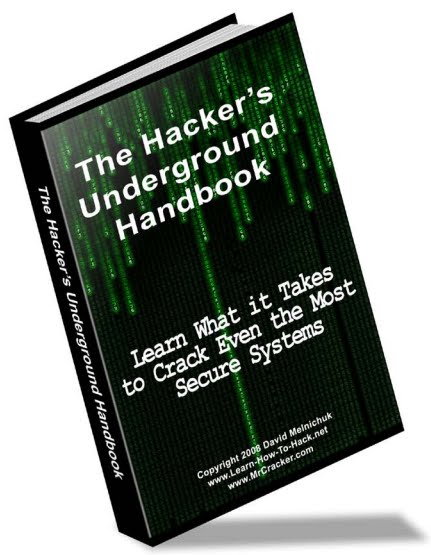
Ebook Title : The Hackers Underground Handbook, Learn What it Takes to Crack Even the Most Secure Systems
Pages : 116
Author : David Melnichuk
Download Link (see at the bottom Page)
Website Disclaimer
Table of Contents :
==============
A. Introduction
1. How can I use this eBook?
2. What is a hacker
3. Hacker Hierarchy
4. What does it take to become a hacker?
5. Disclaimer
B. Programming
1. Do I really need it?
2. Where should I start?
3. Best way to learn
C. Linux
1. What is it?
2. Choosing a distribution
3. Running Linux
4. Learning Linux
D. Passwords
1. Password Cracking
2. Phishing
3. Countermeasures
4. More Programs
E. Network Hacking
1. Foot printing
2. Port Scanning
3. Banner Grabbing
4. Searching for Vulnerabilities
5. Penetrating
6. Countermeasures
F. Wireless Hacking
1. Scanning for Wireless Networks
2. Cracking WEP
3. Packet Sniffing 4
4. Countermeasures
G. Windows Hacking
1. NetBIOS
2. Cracking Windows Passwords
3. Countermeasures
H. Malware
1. Definitions
2. ProRat
3. Countermeasures
I. Web Hacking
1. Cross Site Scripting
2. Remote File Inclusion
3. Local File Inclusion
J. Conclusion
1. Congratulations
2. Keep Learning
3. www.MrCracker.com
Download
other similar E-book (Bahasa Indonesia)